Vesper application 04

Take the order. Route the ticket. Keep outlet inventory in sync.

A connected outlet operations workspace that helps teams build customer orders, take payment, move tickets through the kitchen queue and automatically record ingredient usage.

Dine-in, takeaway and pickupKitchen display workflowRecipe-based stock deductionItem sales visibility
Vesper · Point of Sale
Connected outlet operationsOrder to kitchen to stockCounter → prep queue → inventory trace

Product walkthrough

See the complete point-of-sale workflow.

Watch how Vesper captures the order, sends tickets to the kitchen, tracks preparation and keeps outlet inventory aligned with real sales activity.

Build and customize ordersMove tickets through the kitchen queueLink every sale to stock movement

What the application does

From order capture to inventory traceability.

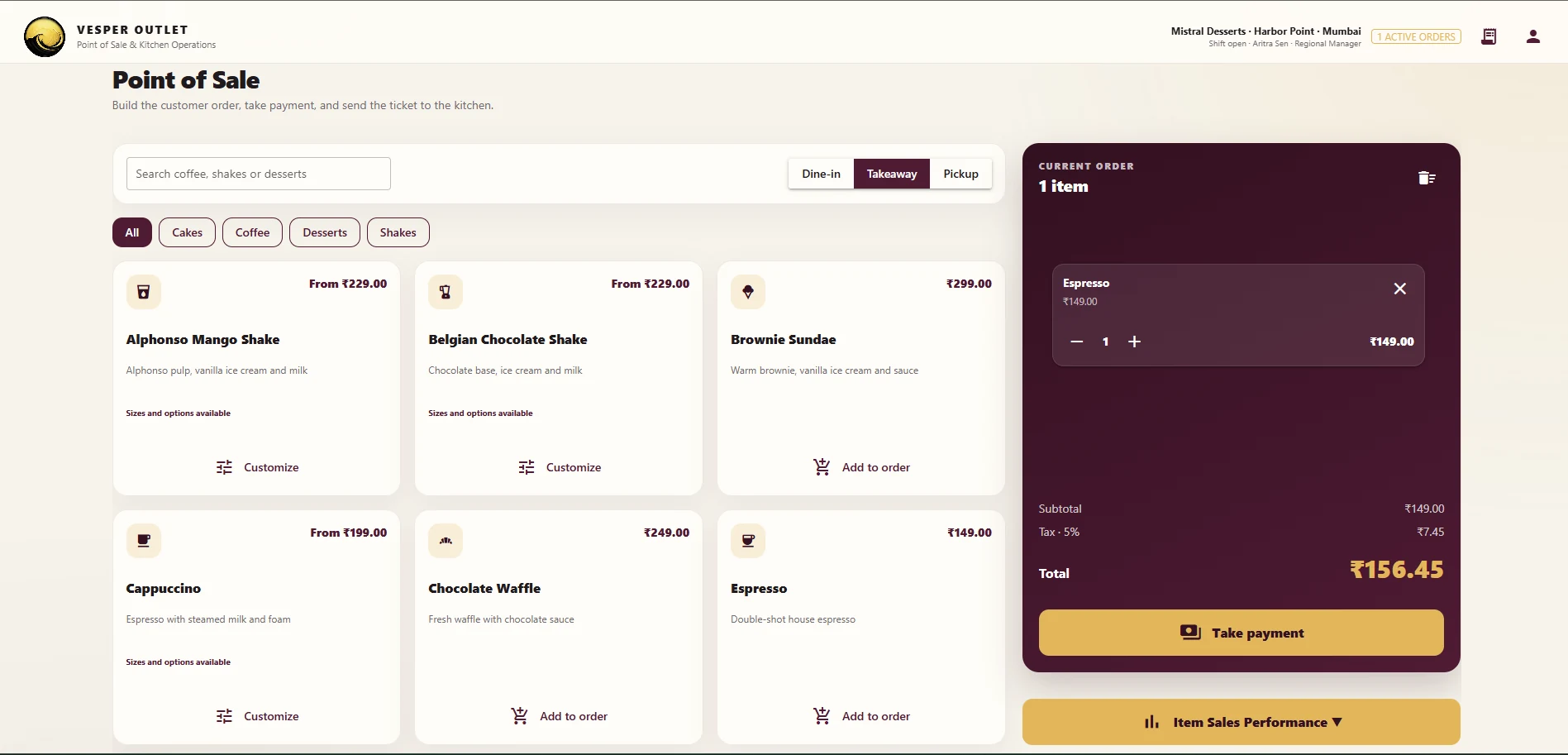
Build the order quickly

Search the menu, choose dine-in, takeaway or pickup, customize items and prepare the order at the counter.

Take payment and create the ticket

Finalize the bill, capture payment and convert the basket into a trackable outlet order.

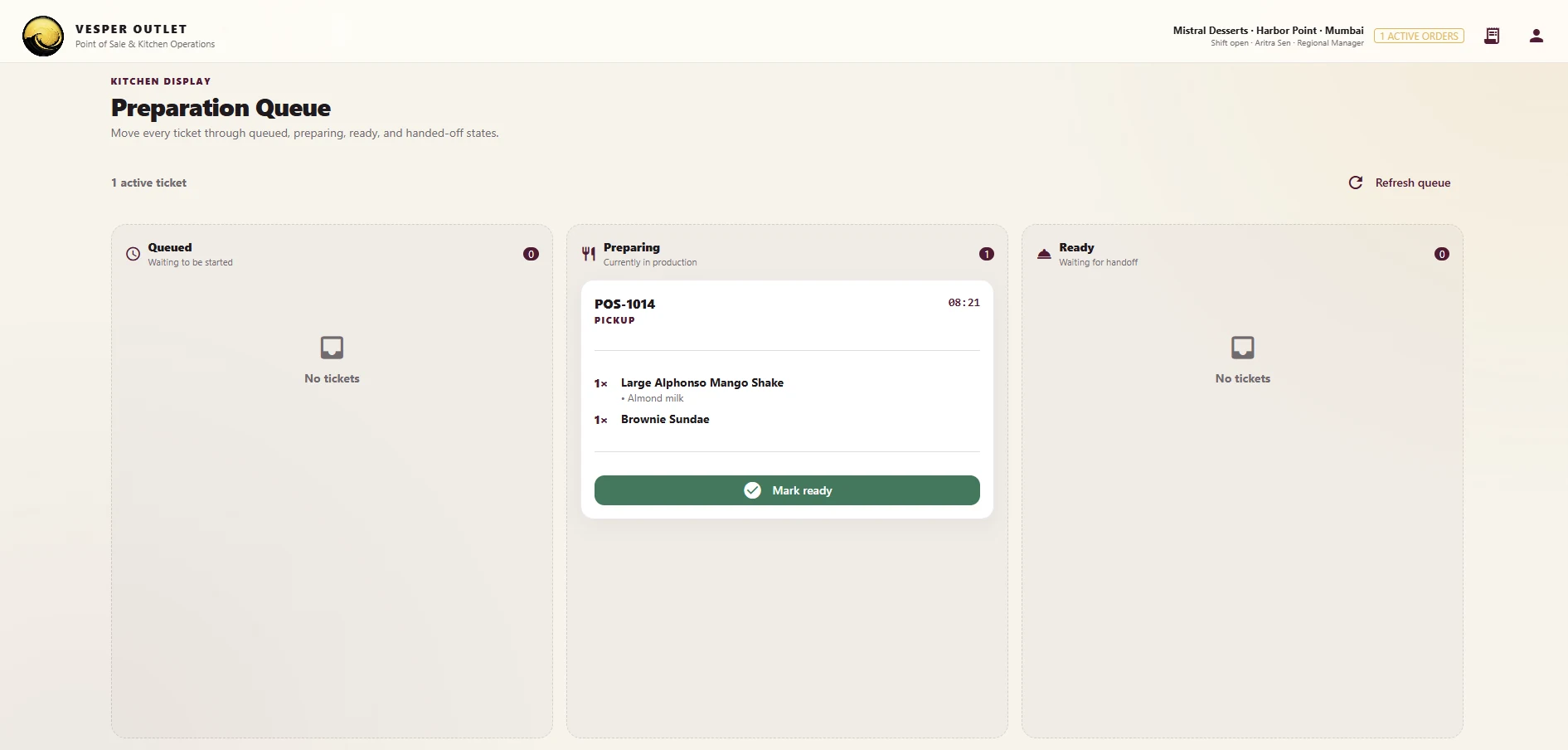
Move the ticket through the kitchen queue

Push orders to the kitchen display and manage queued, preparing, ready and handoff states in one flow.

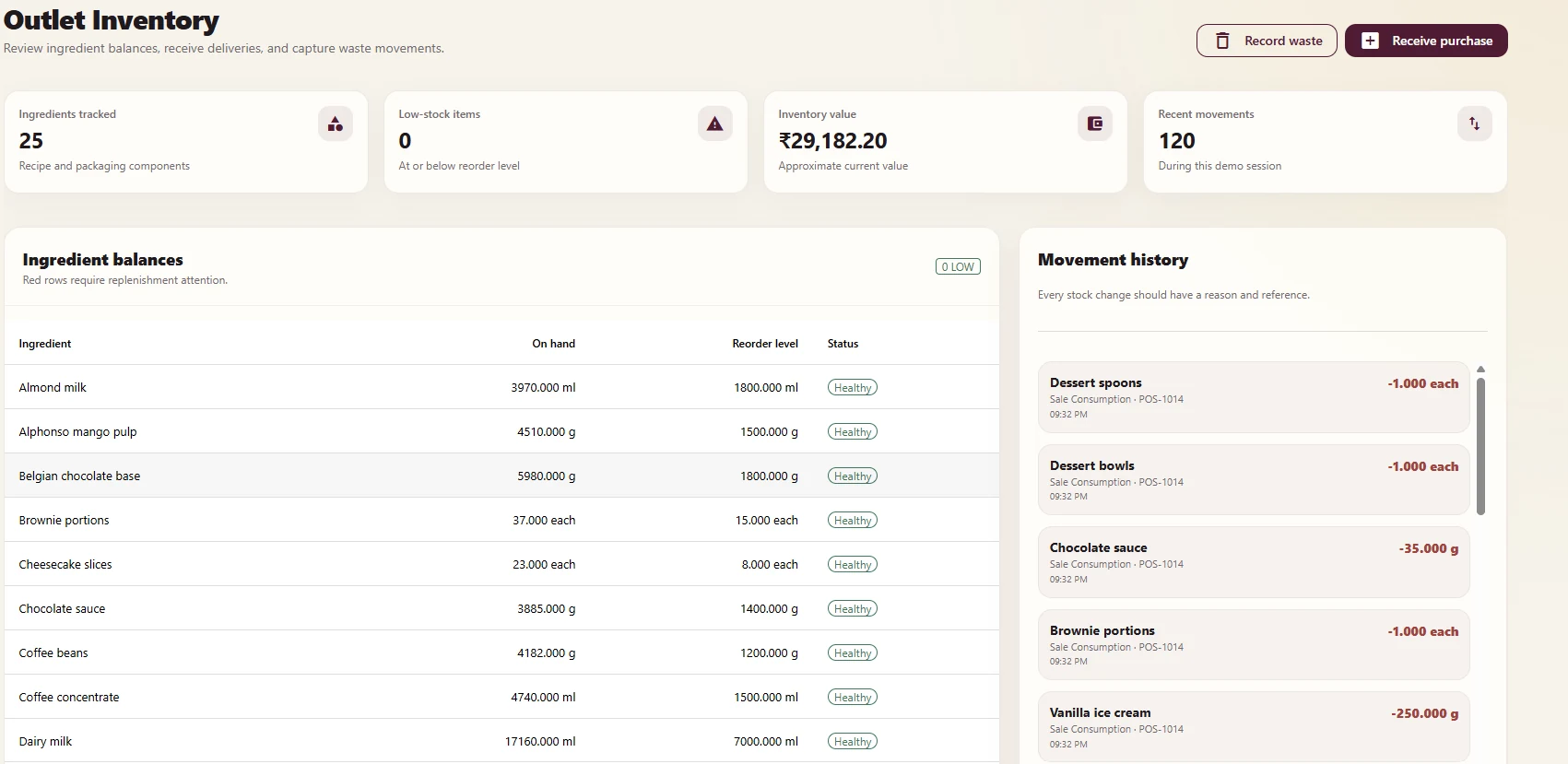
Keep stock records connected

Deduct ingredients using recipes and maintain visibility into purchases, waste and movement history.

Indicative operating impact

What connected outlet operations can unlock.

When ordering, kitchen workflow and inventory records stay connected, outlet teams can move faster with fewer manual gaps and cleaner operating data.

15–30%

Faster order handling

Cleaner menu flow, simpler customization and a focused checkout process can reduce counter friction.

Up to 20–40%

Less manual coordination

Shared ticket states reduce back-and-forth between the counter, kitchen and outlet manager.

100%

Sales-to-stock traceability

Each order can be tied directly to recipe consumption, creating a more reliable picture of outlet usage.

10–20%

Lower avoidable stock loss

Connected consumption and movement records improve visibility into waste, low stock and untracked depletion.

Indicative operational benchmarks for connected point-of-sale, kitchen and outlet inventory workflows. Actual results depend on menu complexity, process design, staff adoption, deployment scope and integration depth.

Inside the workflow
One workspace connects point of sale, kitchen display and outlet inventory.

Vesper Point of Sale screen showing menu items, current order and item sales performance button
1. Capture the orderSearch the menu, add or customize items, select the service mode and take payment from a connected order panel.
Vesper kitchen display showing queued, preparing and ready tickets
2. Coordinate preparation in the kitchenRoute the ticket to the prep queue and move it through preparing and ready states without losing visibility.
Vesper outlet inventory screen with ingredient balances and movement history
3. Keep ingredient balances accurateReview current stock, see movement history and maintain a reliable outlet-level record of purchases, consumption and waste.

Business outcomes

Run cleaner outlet operations without breaking the flow of service.

Faster front-counter serviceHelp staff take orders and payments with less hesitation.
Clearer kitchen handoffsKeep prep teams aligned on what is queued, in progress and ready.
Cleaner stock recordsLink real sales activity to inventory usage instead of tracking it manually later.
Better data for planningFeed accurate outlet sales and consumption data back into the wider Vesper intelligence suite.

Fit the workflow to your outlets

See Vesper POS around your own menu and service model.

We can tailor the demonstration around your outlet format, menu structure, modifier logic, kitchen process and inventory rules.